The Google Ad Grant Keyword Research Process from Scratch: A Step-by-Step Walkthrough for Non-Technical Nonprofit Staff
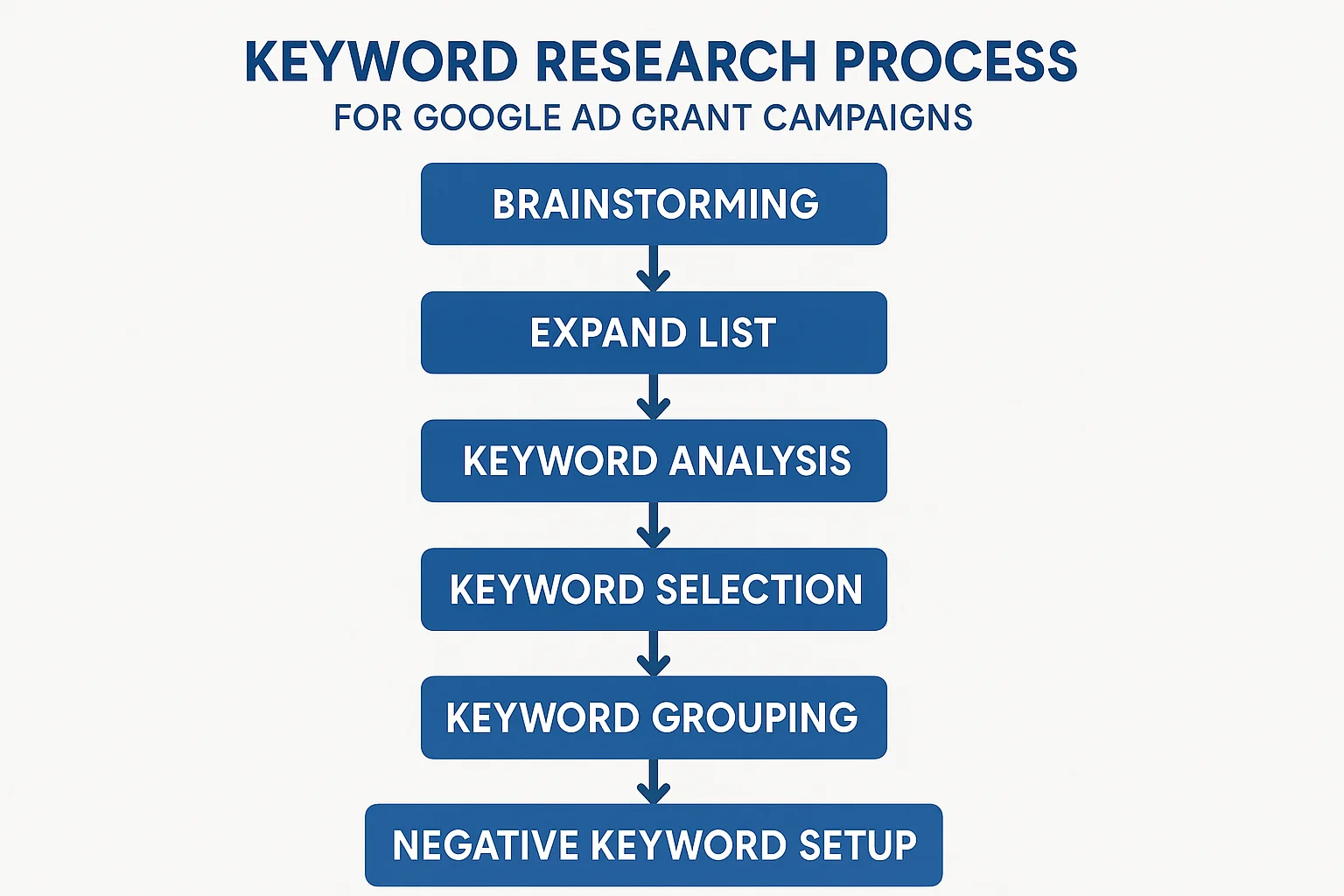
Keyword research is the foundation of every successful Google Ad Grant account. Get it right and your nonprofit can drive thousands of visitors per month to your website at no cost. Get it wrong and your campaigns will either fail to spend the $10,000 USD monthly budget, attract the wrong visitors, or trigger compliance issues that put your account at risk. The good news is that you do not need a marketing background or technical expertise to research keywords effectively for a Grant account. This guide walks through the entire process from scratch, written specifically for nonprofit staff who are new to Google advertising.
Key Takeaways - Keyword research for Google Ad Grants starts with your organization's mission and services, not with a keyword tool. - Google Keyword Planner is free to use in Grant accounts and gives you real search volume data. - Google Ad Grants has specific keyword restrictions you need to know before building your list. - A healthy Grant account needs 200 to 400 keywords across all campaigns. - Match types and negative keywords are just as important as the keywords themselves.
Why Keyword Research Matters More in Grant Accounts Than in Paid Accounts
In a standard paid Google Ads account, poor keyword choices cost you money directly. In a Google Ad Grant account, the consequences are different but equally serious.
If your keywords are too narrow, your campaigns will not spend the full $10,000 USD monthly budget. The average self-managed Grant account spends only a fraction of its available budget, primarily because the keyword list is too small to generate enough auction opportunities. Expanding keyword coverage is the single most reliable way to increase Grant utilization.
If your keywords are too broad or irrelevant, two things happen. First, your click-through rate (CTR) drops because people who see your ads are not actually interested in what you offer. Grant accounts must maintain a minimum CTR at the account level, and irrelevant keywords drag that number down. Second, your Quality Scores suffer because Google measures how relevant your keywords are to your ads and landing pages.
Quality Score is particularly important in Grant accounts because Google automatically pauses any keyword with a Quality Score of 1 or 2. This means poorly chosen keywords do not just underperform: they get removed from your account entirely. For a detailed explanation of how Quality Score works and how to maintain it, see our Quality Score guide for Google Ad Grants.
The goal of keyword research is to find the middle ground: terms that are specific enough to be relevant to your organization's services, broad enough to generate meaningful search volume, and numerous enough to give Google plenty of options to spend your budget.
Step 1: Start With Your Mission, Not a Keyword Tool
The most common mistake nonprofit staff make when starting keyword research is opening Google Keyword Planner before they have done any thinking. Keyword tools are for validating and expanding ideas, not generating them from scratch. The best keyword ideas come from a clear understanding of your organization's work.
Before touching any tool, answer these questions in writing:
- What services or programs does your organization offer? List every one, no matter how small.
- Who are the people your organization helps? What problems are they experiencing when they search Google?
- What words would someone use to describe their problem before they know your organization exists?
- What geographic area do you serve? Are your programs local, national, or international?
- What does someone need to do to access your services? Register online, call a number, visit in person?
The answers to these questions are your raw keyword material. A food bank in Melbourne, Australia might answer: "We provide free groceries and meals to low-income families. People come to us when they cannot afford food. They might search for food bank near me, free food Melbourne, food assistance, or emergency groceries. We serve Melbourne's inner suburbs. People can visit our pantry or register online."
That brief exercise has already produced five or six keyword seeds without opening a single tool. This is where good keyword research begins.
Step 2: Understand Google Ad Grant Keyword Restrictions
Before expanding your keyword list, you need to understand what Google Ad Grants specifically prohibits. Violating these rules results in keywords being disapproved or paused, which wastes research time and can affect account compliance.
The Single-Word Keyword Ban
Google Ad Grant accounts cannot bid on single-word keywords with very limited exceptions. A keyword like "donate" or "volunteer" or "nonprofit" is not permitted. You need at least two words: "donate online," "volunteer opportunities near me," "nonprofit fundraising ideas."
The approved exceptions to this rule include brand names (your own organization's name), medical conditions listed by Google as exempt, and a small number of other approved single-word terms. In practice, the restriction rarely causes problems because specific, high-performing keywords are almost always multi-word phrases anyway.
For the full list of exceptions and how the rule applies in practice, see our article on single-word keywords in Google Ad Grants.
Overly Generic Keywords
Beyond the single-word ban, Google also restricts keywords that are "too generic" to serve users effectively. A keyword like "help nonprofit" or "charity information" does not indicate what the person is actually looking for and is unlikely to lead to a useful interaction. Google uses Quality Score as the enforcement mechanism: overly generic keywords tend to receive low Quality Scores and get auto-paused.
Competitor Targeting
Google Ad Grant accounts cannot bid on competitor brand names. You cannot run ads that appear when someone searches for another nonprofit by name. This is both a policy restriction and a practical consideration: competitor keyword bids in Grant accounts rarely produce meaningful results anyway.
Mission Relevance
Every keyword in your Grant account must be relevant to your organization's mission. A food bank cannot bid on "tax advice" or "legal services" even if those are topics of interest to its audience. Google enforces this through the ad and landing page review process: if an ad and its destination page do not match the keyword intent, Quality Score suffers and the keyword may be flagged.
For a complete breakdown of all keyword policy rules, see our Google Ad Grant keyword policies guide.
Step 3: Use Google Keyword Planner to Expand and Validate Your Ideas
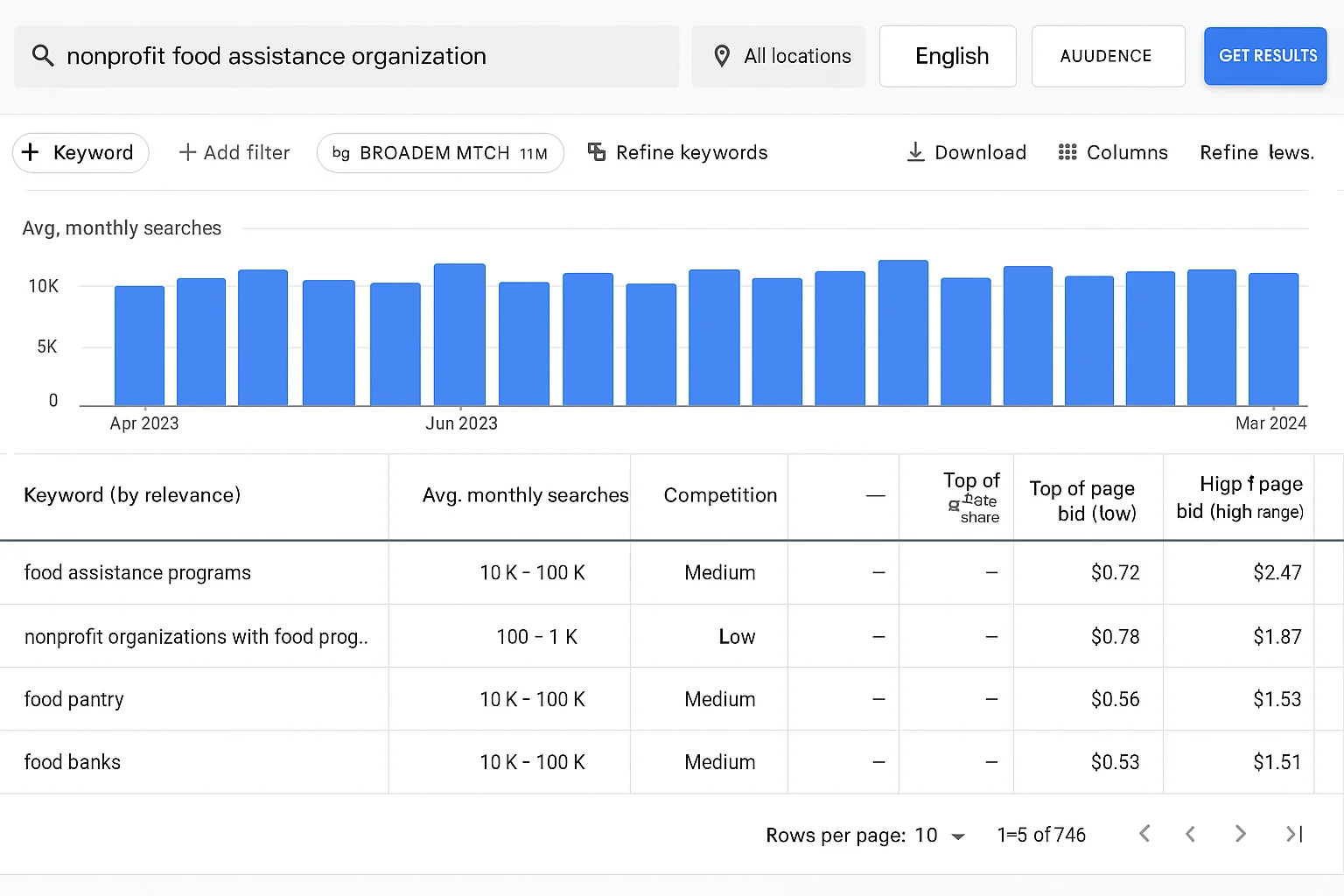
Google Keyword Planner is a free research tool built into Google Ads. If your organization has an active Grant account, you already have access to it at no additional cost. It shows you search volume estimates, keyword ideas related to your seed terms, and competition levels.
How to Access Keyword Planner in Your Grant Account
- Log into your Google Ads account at ads.google.com
- Click the grid icon (Tools and Settings) in the top navigation bar
- Under the Planning section, click Keyword Planner
- Choose "Discover new keywords" to generate ideas from seed terms, or "Get search volume and forecasts" to validate a list you have already built
Using "Discover New Keywords"
This is the most useful function for building a keyword list from scratch. Enter your seed keywords (the terms you brainstormed in Step 1) one at a time or in groups of up to 10. Keyword Planner will return hundreds of related keyword ideas with monthly search volume estimates and competition indicators.
For a food bank in Melbourne, entering "food bank Melbourne" might return suggestions including "food pantry Melbourne," "free food assistance Melbourne," "emergency food relief," "community food program," and dozens of others. Each one is a potential keyword for your campaigns.
Reading the Results
Keyword Planner returns four key pieces of information for each keyword:
- Average monthly searches: This is an estimate of how many times people search for this term each month. Ranges like "100-1K" or "1K-10K" are typical. For Grant accounts, even keywords with 100-1,000 monthly searches are worth including because you need volume across many keywords.
- Competition: Shown as Low, Medium, or High. In Grant accounts, competition refers to how many advertisers are bidding on the term. High-competition keywords are harder to win impressions for, but with Smart Bidding enabled in your Grant account, this is less of a barrier than it used to be.
- Top of page bid (low range) and (high range): These are estimates of what paid advertisers pay per click. In Grant accounts, these numbers help you understand relative demand. Very high bids indicate commercial intent keywords that may not suit your nonprofit's purposes.
Tip: When using Keyword Planner, make sure your location settings match your target geography. Volume estimates for "food bank near me" in Melbourne will be very different from national estimates. Click the pencil icon next to the location setting at the top of the results to adjust.
Keywords to Prioritize
Not every keyword Planner suggests is worth adding. When evaluating suggestions, prioritize:
- Keywords with clear intent that matches a specific service you offer
- Keywords with at least some search volume (even 10-100 per month is worth including in most cases)
- Multi-word phrases that are specific enough to indicate what the searcher actually wants
- Question-based keywords ("how to get food assistance," "where can I find a food bank") which often have strong user intent
- Location-modified keywords ("food bank [city name]," "community meals [suburb]") for geographically targeted services
Step 4: Build Your Keyword List Systematically
Once you have a pool of validated keyword ideas from Keyword Planner, the next step is to organize them into a structured list that maps to your campaign architecture.
How Many Keywords Do You Need?
A Grant account needs 200 to 400 active keywords across all campaigns to have a realistic chance of spending the full $10,000 USD monthly budget. This sounds like a lot, but it is achievable for almost any nonprofit with multiple programs. Each program or service area can contribute 30 to 80 keywords when you account for variations, geographic modifiers, and question-based formats.
For a detailed strategy on building enough keyword volume to maximize your budget, see our guide: How to build enough keyword volume to spend your full Grant.
Organizing Keywords Into Themes
Keywords should be organized into ad groups based on theme. An ad group is a cluster of closely related keywords that will all trigger the same set of ads. The tighter the theme, the more relevant your ads will be to each keyword, and the higher your Quality Score will be.
A common mistake is creating ad groups that are too broad. An ad group called "food assistance" that contains keywords ranging from "free groceries" to "meal delivery for elderly" to "food vouchers" is too diverse. Each of those sub-topics deserves its own ad group with its own tailored ad copy and landing page.
A well-structured account for a community services nonprofit might look like this:
| Campaign | Ad Groups Within Campaign |
|---|---|
| Food Assistance | Food bank / Food pantry / Free groceries / Emergency food / Meal programs |
| Financial Support | Emergency financial assistance / Bill payment help / Rent assistance / Utility assistance |
| Counseling Services | Grief counseling / Marriage counseling / Mental health support / Addiction recovery |
| Youth Programs | After school programs / Summer camp / Youth mentoring / Free tutoring |
| Volunteer Recruitment | Volunteer opportunities / How to volunteer / Volunteer sign up / Community service |
| Donations | Donate to charity / Ways to give / Charitable giving / Donate online |
Keyword Variations to Include
For each core keyword theme, build out variations to capture the full range of ways people search for the same thing. Variations include:
- Synonym variations: "food bank," "food pantry," "food shelf," "food cupboard" all describe the same type of service but different people use different terms.
- Question formats: "where can I find a food bank near me," "how do I get food assistance," "is there a free food pantry near me"
- Geographic modifiers: "food bank [city]," "food pantry [suburb]," "free food [region]"
- Qualifier variations: "free food bank," "emergency food bank," "community food bank," "nonprofit food bank"
- Intent variations: "donate food near me" (donor intent) vs "get food assistance near me" (recipient intent). These belong in different ad groups with different ads.
Step 5: Choose the Right Match Types
Match types tell Google how closely a person's search query must match your keyword before your ad is eligible to show. There are three match types in Google Ads: broad match, phrase match, and exact match. Each has different implications for Grant accounts.
| Match Type | How to Set It | What It Does | Best For |
|---|---|---|---|
| Broad match | Type keyword as-is | Shows for searches related to your keyword, including synonyms and related topics | Maximizing reach and budget spend, with strong negative keywords |
| Phrase match | Put keyword in "quotes" | Shows when the search contains your keyword phrase in order, with words before or after | Balancing reach with relevance |
| Exact match | Put keyword in [brackets] | Shows only when the search closely matches your keyword with little variation | Protecting CTR on your most important, highest-converting terms |
For most Grant accounts, Google recommends using broad match keywords combined with a robust negative keyword list. Broad match gives the algorithm the most flexibility to find relevant searches and spend the budget, while negative keywords filter out irrelevant traffic.
For a detailed guide on when to use each match type and how they interact with Smart Bidding in Grant accounts, see our keyword match types guide.
Step 6: Build Your Negative Keyword List
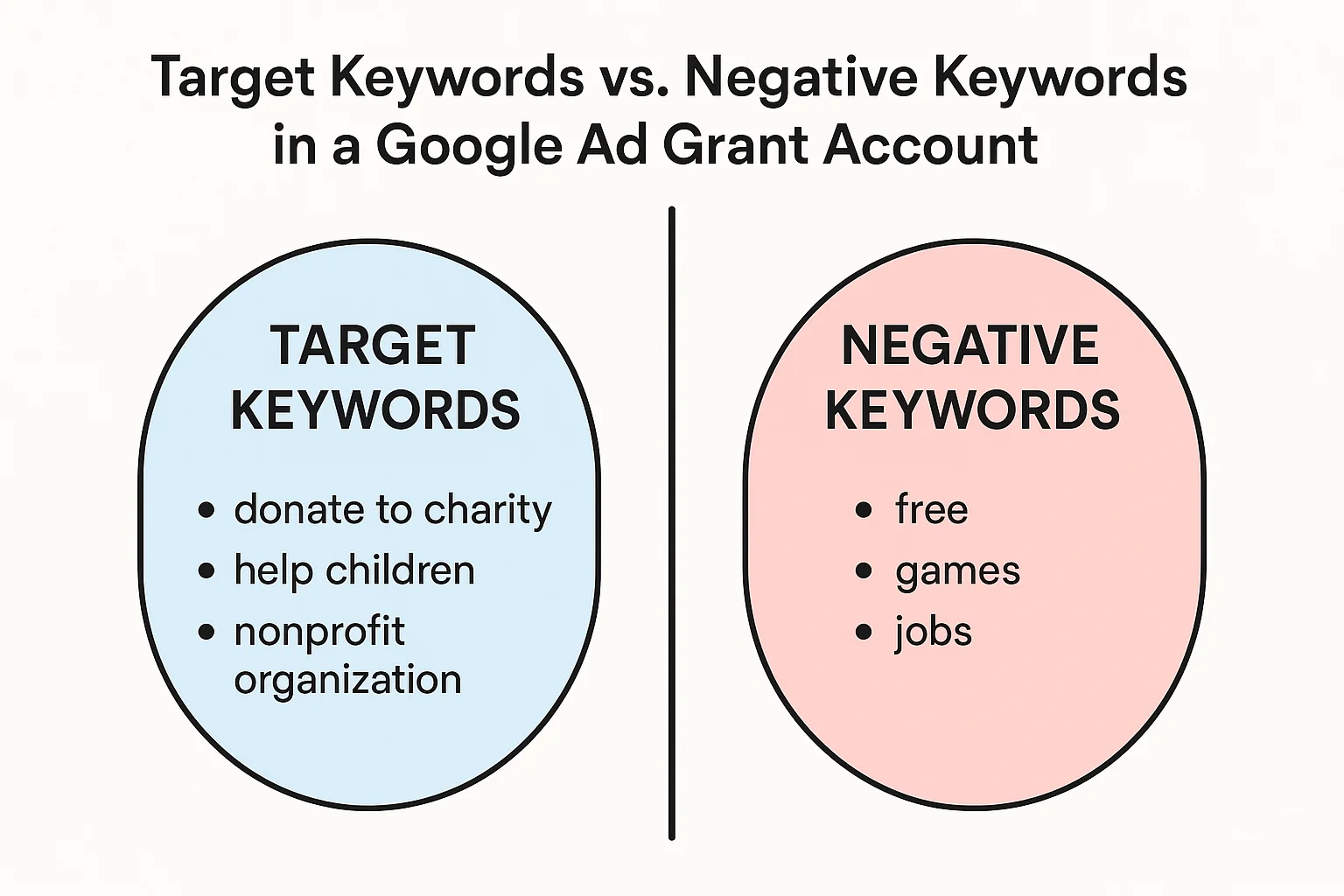
Negative keywords are terms you add to your account to tell Google not to show your ads for those searches. They are one of the most underutilized tools in Grant accounts, and neglecting them is a direct cause of low CTR and wasted impressions.
Why Negative Keywords Matter in Grant Accounts
Unlike paid accounts where irrelevant clicks cost money, in Grant accounts irrelevant impressions are the primary risk. If your ad appears for a search query that has nothing to do with your services and the person does not click, that impression lowers your CTR. If your account-level CTR falls too low, your account faces compliance risk.
Negative keywords prevent your ads from showing for irrelevant queries, which keeps your CTR healthy and ensures your budget is spent on people who are genuinely likely to be interested in your services.
How to Build Your Initial Negative Keyword List
Start with a core list of terms that are commonly searched alongside your keywords but do not represent people you can help. For most nonprofits, this includes:
- Job-related terms: "jobs," "careers," "hiring," "employment," "salary," "resume" (unless you specifically offer employment programs)
- Research and academic terms: "research," "statistics," "history of," "definition of," "essay about" (unless you produce educational content on these topics)
- Commercial terms that do not fit your mission: "buy," "purchase," "price," "cost," "cheap," "discount" (for service-focused nonprofits)
- Irrelevant geographic terms: cities, countries, or regions you do not serve
- Other organizations' names: to avoid wasting impressions on searches for similar organizations you cannot serve
Mining the Search Terms Report
After your campaigns have been running for two to four weeks, the Search Terms report in Google Ads shows you the actual queries that triggered your ads. This is the most valuable source of negative keywords because it shows real, live data from your specific account and audience.
Review the Search Terms report weekly when your account is new, then monthly once it has stabilized. Add any irrelevant queries as negative keywords. Over time, this process tightens your traffic quality significantly.
For a complete guide to negative keywords including a starter list for nonprofits and instructions for setting up account-level vs. ad-group-level negatives, see our essential negative keywords guide for Google Ad Grants.
Step 7: Prioritize and Refine Continuously
Keyword research is not a one-time task. The best Grant accounts are managed by teams that review keyword performance regularly and make incremental improvements over time.
What to Review Monthly
- Search Terms report: Add new negative keywords based on irrelevant queries. Look for new positive keyword opportunities you had not considered.
- Quality Score by keyword: Any keyword with a Quality Score of 3 or below needs attention. Either improve the ad copy and landing page relevance, or pause the keyword and replace it with a more specific alternative.
- Impression share: If a keyword has low impression share (meaning your ad is eligible but not showing very often), it may need a better bid strategy setting or a landing page improvement.
- Conversion data: Which keywords are driving the actions you care about (form submissions, donations, sign-ups)? Allocate more budget and attention to high-converting ad groups.
Signs Your Keyword List Needs Expanding
If your account is spending less than $5,000 USD per month consistently, your keyword list is almost certainly too narrow. Other signs include: campaigns running out of budget early in the day (meaning demand exceeds your keyword coverage in those ad groups), consistently low impression counts, or conversion volumes that are not growing month over month. See our guide on why your Google Ad Grant is not spending its budget for a complete diagnostic.
A Practical Example: Keyword Research for a Mental Health Nonprofit
To make this concrete, here is how the full keyword research process might look for a nonprofit that provides free mental health counseling services in Toronto, Canada.
Step 1: Mission and Service Mapping
The organization offers: free individual counseling, group therapy sessions, a crisis support line, a peer support program for youth, and an online resource library. It serves adults and youth in the Greater Toronto Area.
Step 2: Seed Keywords From Mission
Starting terms without any tools: free mental health counseling Toronto, mental health support near me, free therapy Toronto, crisis support line Toronto, youth mental health program, peer support group, mental health resources, anxiety help Toronto, depression counseling, grief support Toronto.
Step 3: Keyword Planner Expansion
Entering these seeds into Keyword Planner produces 150-200 additional keyword ideas including: affordable therapy Toronto, online mental health support, mental health hotline Ontario, teen mental health resources, counseling for anxiety, free psychiatrist near me, mental wellness program, emotional support services, PTSD counseling Toronto, bipolar support group.
Step 4: Filtering and Organizing
After removing keywords that do not match services offered (paid therapy platforms, unrelated conditions, job listings), the refined list has around 180 keywords. These are organized into six ad groups: Individual Counseling, Group Therapy, Crisis Support, Youth Programs, Anxiety and Depression, and General Mental Health Resources.
Step 5: Match Types and Negatives
Most keywords are set to broad match. Negative keywords added from the start: "mental health jobs," "mental health salary," "mental health degree," "mental health statistics," "mental health history," "mental health movies," and the names of several competing private therapy providers in Toronto.
Within two months of launch, the Search Terms report has identified 40 additional negative keywords to add, and the account is spending $6,200 USD per month with a CTR well above compliance thresholds.
Check Your Keyword Health with GrantMax
Once your campaigns are live, GrantMax can analyze every keyword in your Grant account and flag any that are at risk of compliance issues, under-performing relative to their potential, or missing from key service areas. Rather than manually reviewing hundreds of keywords, GrantMax gives you a prioritized list of what to fix and what to add. Audit your Grant account free at grantmax.org
Frequently Asked Questions
How many keywords should a Google Ad Grant account have?
Most accounts need between 200 and 400 active keywords across all campaigns to have a realistic chance of spending the full $10,000 USD monthly budget. Smaller organizations with fewer programs may start with 100 to 150 keywords and expand as they add more campaign topics. There is no upper limit, and larger organizations with many programs can comfortably manage 500 or more keywords.
Can I use Google Keyword Planner for free with a Google Ad Grant account?
Yes. Google Keyword Planner is available inside your Google Ads account at no cost. You do not need to run paid campaigns or make any payment to access it. Log in to your Grant account, go to Tools and Settings, and click Keyword Planner under the Planning section.
What happens if my keywords have a Quality Score of 1 or 2?
Google Ad Grant accounts automatically pause keywords with a Quality Score of 1 or 2. These keywords become ineligible to show ads until their Quality Score improves. To improve Quality Score, focus on three factors: making your ad copy more closely match the keyword, ensuring the landing page the ad points to is directly relevant to the keyword, and improving the overall user experience of that landing page.
Can I bid on competitor nonprofit names with my Google Ad Grant?
No. Bidding on another organization's brand name as a keyword is prohibited under Google Ad Grant policies. Beyond the policy restriction, it is also unlikely to produce useful results: someone searching for a specific organization by name is looking for that organization, not a substitute.
How long does it take for keyword research to show results?
Most Grant accounts take four to eight weeks to show meaningful performance data after launch. Google's Smart Bidding algorithm needs time to learn which keywords and searches convert best for your account. During the first month, focus on ensuring your keywords are active, your ads are approved, and your conversion tracking is recording properly. Make significant keyword changes after you have at least four weeks of data to work from.
Key Takeaways
- Start keyword research with your mission and services, not with a keyword tool. The best keyword ideas come from understanding what your organization does and what problems your audience is searching to solve.
- Google Ad Grant accounts have specific keyword restrictions: no single-word keywords (with limited exceptions), no overly generic terms, no competitor brand names, and all keywords must be mission-relevant.
- Google Keyword Planner is free inside your Grant account and is the primary tool for expanding and validating your keyword list.
- A healthy Grant account needs 200 to 400 keywords organized into tightly themed ad groups, with one ad group per specific service or topic.
- Broad match keywords combined with a strong negative keyword list give Google the flexibility to spend your budget while keeping traffic relevant.
- Negative keywords are critical for maintaining CTR compliance. Mine the Search Terms report regularly and add irrelevant queries as negatives.
- Keyword research is ongoing. Review Quality Scores, Search Terms reports, and spending levels monthly and adjust your keyword list accordingly.
- If your account is spending less than half of your monthly budget, the keyword list is almost always the primary reason. Expanding to more topics and more keyword variations is the most reliable fix.
Published: April 2026 | Last updated: April 2026 | Category: Keyword Strategy | Tags: Keywords, Beginner, Tutorial, Strategy