Why Your Google Ad Grant Quality Scores Keep Dropping (and the Fixes That Actually Work)
If keywords in your Google Ad Grant account keep getting paused automatically, or your Quality Scores are stuck below 3 despite your best efforts, you are dealing with one of the most frustrating compliance challenges in the program. Quality Score below 3 triggers automatic keyword pausing in Grant accounts, which means poor scores do not just hurt performance: they actively shrink the pool of keywords your account can use to spend its budget. This guide explains exactly what causes Quality Scores to drop, how to diagnose which factor is responsible in your account, and the specific fixes that consistently produce results.
Key Takeaways - Google Ad Grant accounts automatically pause any keyword with a Quality Score of 1 or 2, which directly reduces your available keyword inventory. - Quality Score is made up of three components: expected click-through rate, ad relevance, and landing page experience. Each one requires a different fix. - Landing page experience is the only component Google can assess before your ads receive impressions, making it the highest-priority fix for new accounts. - Negative keywords improve Quality Score indirectly by filtering irrelevant traffic that drags down expected CTR. - Quality Score is a relative measure that changes as your account history grows. Scores on new keywords are always provisional.
What Quality Score Is and Why It Matters More in Grant Accounts
Quality Score (QS) is Google's rating of the relevance and quality of your keywords, ads, and landing pages. It is displayed on a scale of 1 to 10 for each keyword, with 10 being the highest. A higher Quality Score generally results in better ad positions and lower effective costs per click.
In standard paid Google Ads accounts, a low Quality Score means higher costs. In Google Ad Grant accounts, the consequences are more severe. Google automatically pauses any keyword with a Quality Score of 1 or 2. These keywords are removed from the auction entirely and will not generate impressions or clicks until the score improves.
This creates a compounding problem. Paused keywords mean fewer impressions. Fewer impressions mean less data for Google's algorithm to optimize toward. Less data means slower Quality Score recovery. Grant accounts that fall into this cycle can find themselves with shrinking keyword coverage precisely when they need to be expanding it.
Quality Score is also indirectly connected to the 5% click-through rate (CTR) requirement that Grant accounts must maintain. Keywords with low Quality Scores tend to attract lower-quality traffic and generate fewer clicks per impression, which pulls the account-level CTR down. For a detailed explanation of the CTR requirement and how to manage it, see our guide to the 5% CTR requirement.
The Three Components of Quality Score
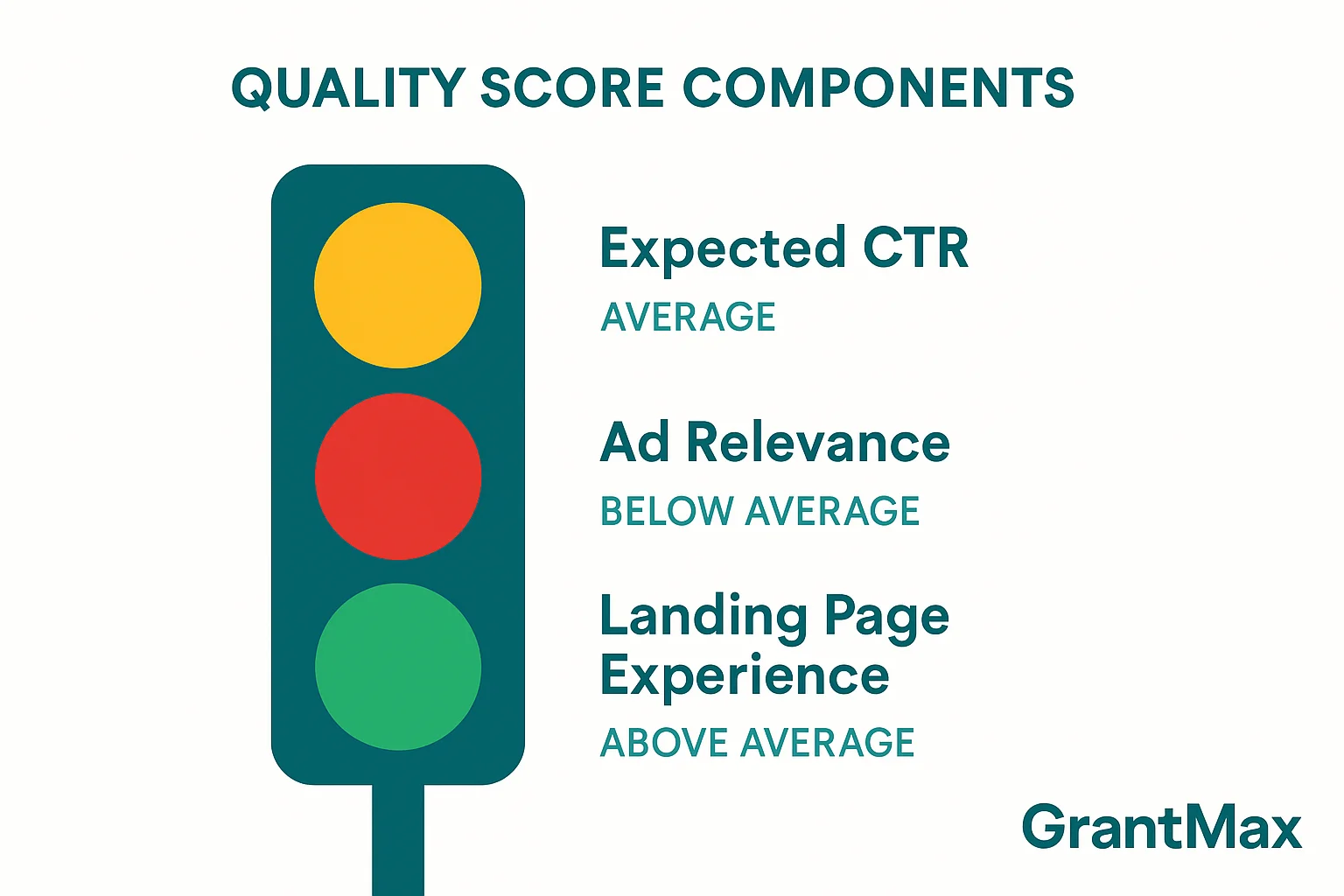
Google calculates Quality Score from three sub-components, each rated as Above Average, Average, or Below Average. Understanding which component is underperforming in your account tells you exactly where to focus your efforts.
Component 1: Expected Click-Through Rate
Expected CTR is Google's prediction of how likely someone is to click your ad when it appears for a given keyword. This prediction is based on historical performance data for your keyword, your ads, and similar advertisers. It is not simply your current CTR: it is a forward-looking estimate that factors in ad position and other variables.
A Below Average rating on expected CTR means Google predicts your ad is less likely to be clicked than competing ads for the same keyword. The most common causes are:
- Ad copy that does not match keyword intent. If someone searches "grief support group near me" and your ad headline says "Support Our Mission," there is a clear mismatch. The person is looking for a service; the ad is asking for their support.
- Keyword is too broad relative to the ad. A single ad serving a dozen loosely related keywords will rarely match each one well enough to earn strong predicted CTR.
- New keyword with no history. Google assigns provisional scores to new keywords. Expected CTR ratings often start at Average and shift once the keyword accumulates impression data.
- Irrelevant searches triggering the ad. If your broad match keyword is attracting searches that have nothing to do with your services, those impressions drag down expected CTR even if individual relevant clicks perform well.
Component 2: Ad Relevance
Ad relevance measures how closely your ad copy matches the intent of someone searching for your keyword. It is a simpler, more direct measure than expected CTR: does your ad describe what this keyword is about?
A Below Average rating on ad relevance almost always comes down to one of two problems:
- Ad copy is too generic. A single ad running across an entire campaign with headlines that could apply to any nonprofit ("Making a Difference Every Day," "Join Our Mission") will score poorly for relevance on specific keywords.
- Ad group themes are too broad. If an ad group contains keywords ranging from "food bank donations" to "volunteer opportunities near me" to "nonprofit events," no single ad can be highly relevant to all of them. This is an account structure problem as much as a copywriting problem.
Component 3: Landing Page Experience
Landing page experience measures how relevant, useful, and navigable your landing page is for someone who clicks your ad. Google assesses this using a combination of signals including page content relevance to the keyword, page load speed, mobile-friendliness, ease of navigation, and whether the page provides a clear path to what the visitor is looking for.
Landing page experience is the only Quality Score component that Google can assess before your ads have received any impressions. This makes it particularly important for new campaigns and new keywords: a Below Average landing page experience rating will suppress Quality Scores from day one.
Common causes of Below Average landing page experience:
- Sending traffic to the homepage instead of a page specifically about the advertised service
- Thin content on the landing page (a few sentences and a phone number, rather than a substantive description of the service)
- Slow page load speed, particularly on mobile
- Page is not mobile-friendly
- Content mismatch between the ad and the page (ad talks about grief counseling, page is about general mental health programs)
- No clear call to action on the landing page
How to Diagnose Which Component Is Causing the Problem
Before applying any fix, identify which component is responsible. Applying the wrong fix wastes time and may not move the score at all.
Step 1: Find Your Quality Score Data in Google Ads
- Log into your Google Ads account
- Navigate to Keywords in the left sidebar
- Click the Columns button (the icon with stacked lines) at the top of the table
- Select Modify columns
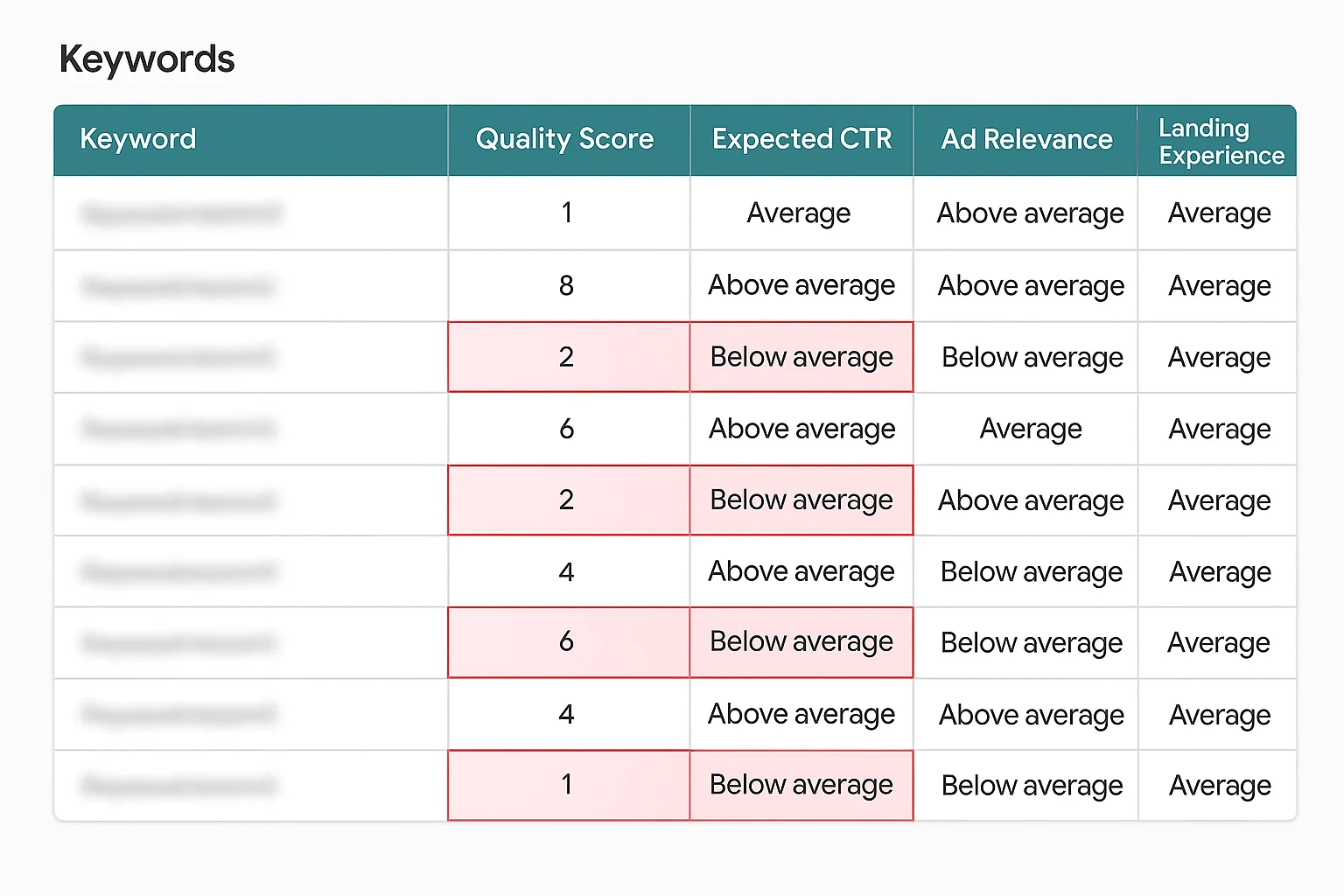
- Under Quality Score, add: Quality Score, Expected CTR, Ad Relevance, and Landing Page Experience
- Click Apply
You now have a column for each Quality Score component next to every keyword. Sort by Quality Score (ascending) to see your lowest-scoring keywords first.
Step 2: Look for Patterns
Rather than fixing keywords one at a time, look for patterns across your lowest-scoring keywords:
- If most have Below Average landing page experience, the fix is primarily about your website pages
- If most have Below Average ad relevance, the fix is primarily about ad copy and ad group structure
- If most have Below Average expected CTR, the fix involves both ad copy and negative keywords
- If scores are mixed, address landing page experience first (it has the broadest impact) then move to ad relevance
Step 3: Check When the Score Dropped
If Quality Scores were previously higher and have recently declined, something changed. Common triggers include:
- A new batch of keywords added without corresponding ad copy updates
- A website update that changed or removed content from landing pages
- Conversion tracking changes that affect Smart Bidding behavior
- Seasonal shifts in search volume that change which queries trigger your ads
Fix 1: Improve Landing Page Experience
Landing page experience is the highest-leverage fix in most Grant accounts because it affects every keyword pointing to that page simultaneously. Improving one page can lift Quality Scores on dozens of keywords at once.
Match the Page to the Keyword
Every ad group should point to a page that is specifically and obviously about the topic of that ad group. This does not mean you need a unique page for every keyword. It means the page content should make it immediately clear that the visitor has landed in the right place.
A keyword like "free grief counseling near me" should land on a page titled something like "Free Grief Counseling Services" that opens with a clear description of the service, who it is for, and how to access it. It should not land on a general "Services" page that lists 12 programs in brief summaries.
For detailed guidance on building landing pages that convert Grant traffic into real engagement, see our landing page optimization guide for Google Ad Grants.
Improve Page Speed
Page speed is a direct input to landing page experience and a consistent problem for nonprofit websites, which are often built on older CMS platforms with large image files and unoptimized code.
To check your page speed:
- Go to PageSpeed Insights
- Enter the URL of your landing page
- Check both the Mobile and Desktop scores
- Review the specific recommendations Google provides
A Mobile score below 50 is a significant drag on landing page experience. Common fixes include compressing images, removing unused plugins or scripts, and enabling browser caching. Many of these fixes require a developer or a web administrator, but the impact on Quality Score can be substantial.
Ensure Mobile-Friendliness
More than 60% of Google searches happen on mobile devices. A page that is difficult to read or navigate on a phone will receive a Below Average landing page experience rating regardless of its content quality.
Test your pages on a real mobile device and look for: text that is too small to read without zooming, buttons that are too small to tap accurately, content that extends beyond the screen width, and pop-ups that cover the main content.
Add Substantive Content
Google wants landing pages to provide genuine value to visitors. A page with one paragraph of text, a stock photo, and a phone number does not meet that bar. Aim for landing pages that include:
- A clear description of the service (what it is, who it is for, how it works)
- Eligibility information or how to get started
- A visible and specific call to action (a form, a phone number, a registration link)
- Some indication of trust or credibility (how long you have operated, who you have helped, any relevant credentials)
Fix 2: Improve Ad Relevance
Ad relevance is fundamentally an account structure and copywriting problem. The fix is to ensure each ad group is tightly themed and that the ads within it specifically address the keywords they serve.
Tighten Your Ad Groups
An ad group should contain keywords that are so closely related that a single set of ads can be highly relevant to all of them. As a practical test: read your ad headlines and ask whether they would make sense to someone who searched for each keyword in the ad group. If the answer is "not really" for some keywords, those keywords belong in a different ad group with different ads.
A common restructuring approach:
- Start with your lowest ad-relevance keywords
- Identify what they have in common (service type, audience, intent)
- Create a new ad group specifically for that theme
- Write ads specifically addressing that theme
- Move the keywords to the new ad group
Write Ads That Match Keyword Intent
For each ad group, write responsive search ads (RSAs) whose headlines directly reflect the keywords. If the keywords are about food pantry access, the headlines should say things like "Free Food Pantry Services," "Access Our Community Food Pantry," and "Food Assistance Available Now." Not "We Help Our Community" or "Support Local Families."
The description lines should expand on the specific service, mention a relevant detail (open to all, no referral needed, weekly availability), and include a clear call to action.
For detailed guidance on writing high-relevance ad copy for Grant accounts, see our guide to writing nonprofit ad copy that gets high CTR and our responsive search ads guide.
Use Keyword Insertion Sparingly
Keyword insertion is a feature that automatically inserts the search query into your ad headline. Used well, it can boost ad relevance scores because the ad literally contains the searcher's words. Used poorly (inserting keywords into descriptions or using it with very broad keyword themes), it produces awkward ad copy.
For Grant accounts with tightly themed ad groups and carefully chosen keywords, keyword insertion in Headline 1 or Headline 2 is worth testing.
Fix 3: Improve Expected CTR
Expected CTR is the most indirect Quality Score component to fix because it reflects Google's prediction based on multiple data points. However, there are concrete actions that move it in the right direction.
Add Negative Keywords
The most underrated CTR fix in Grant accounts is negative keywords. When your broad match keywords attract irrelevant searches (someone searching "food bank history" or "food pantry jobs" triggering your food assistance ads), those impressions count against your expected CTR even though the searcher was never going to click.
Adding negative keywords filters out these irrelevant queries before they generate impressions, which improves the signal quality that Google uses to estimate future CTR.
Review your Search Terms report weekly and add any irrelevant queries as negative keywords. For a complete guide to building and managing a negative keyword list, see our negative keywords guide for Google Ad Grants.
Improve Your Ad Copy Hooks
Even with a highly relevant ad group, the specific wording of your headlines affects whether someone clicks. Test headline variations that:
- Lead with the specific benefit or outcome ("Free Grief Counseling Available Now")
- Include a number or specific detail ("Support Groups Every Tuesday")
- Address a common objection ("No Referral Needed," "Open to All Backgrounds")
- Create urgency or scarcity where genuine ("Limited Spaces Available")
RSAs allow you to add up to 15 headlines and 4 description lines, and Google will test combinations to find the highest-performing mix. Use all available slots. The more options Google has to test, the better it can optimize for CTR.
Consider Adding Ad Assets
Ad assets (formerly called extensions) add extra information and links to your ads, making them larger and more prominent in search results. Larger ads tend to attract more clicks. For Grant accounts, the most impactful assets are:
- Sitelinks: Additional links below your main ad, pointing to specific service pages
- Callouts: Short phrases that highlight key details ("Free of Charge," "Open 7 Days," "No Waitlist")
- Structured snippets: Lists of specific services, programs, or locations
All Grant accounts are required to have at least 2 sitelinks. Aim for 8 or more to give Google maximum flexibility in displaying assets.
Fix 4: Address New Keywords Differently
Quality Score for new keywords is always provisional. Google has limited data to work with, so scores on keywords added in the past few weeks should be interpreted differently from scores on keywords that have been active for months.
For new keywords:
- Give them at least 2-4 weeks before making decisions based on Quality Score
- Ensure the landing page experience is strong from day one (this is assessed immediately)
- Write highly specific ads from the start rather than reusing generic ad copy
- Monitor the Search Terms report closely to identify and exclude irrelevant queries early
If a keyword has been active for more than 4 weeks with very few impressions and a persistent Quality Score of 1 or 2, it is worth pausing and replacing with a more specific alternative rather than waiting for improvement that may not come.
Fix 5: Audit Your Account Structure
Sometimes Quality Score problems are symptoms of a structural issue rather than individual keyword or ad copy problems. Signs of structural issues include:
- Many ad groups with 20+ keywords each (too broad)
- A single ad running across an entire campaign (not enough ad specificity)
- All keywords in all ad groups pointing to the same landing page (usually the homepage)
- Campaigns that mix very different service types (food assistance and volunteer recruitment in the same campaign)
A structural audit involves reviewing every campaign and ad group against the principle of tight thematic grouping. Each campaign should represent a service category. Each ad group should represent a specific topic within that category. Each ad should be written for that specific topic. Each landing page should be about that specific topic.
This is more work than tweaking individual keywords, but it produces lasting Quality Score improvement across the entire account rather than incremental gains on individual keywords.
How Long Does It Take for Quality Score to Improve?
Quality Score is not updated in real time. Google updates scores periodically based on accumulated impression data. In practice:
- Landing page experience improvements can be reflected relatively quickly (within days to weeks) because Google can re-assess the page without waiting for new impressions
- Ad relevance improvements take effect as Google re-evaluates the relationship between your keywords and ads, typically within a few weeks
- Expected CTR changes most slowly because it relies on accumulated impression and click data. Significant improvements typically take 4-8 weeks of campaign activity to appear
If a keyword has a Quality Score of 1 or 2 and has been paused by Google, you can unpause it after making improvements. Google will reassess the keyword as it begins receiving impressions again.
Audit Your Grant Account's Quality Score Health with GrantMax
Manually reviewing Quality Score components across hundreds of keywords is time-consuming and easy to get wrong. GrantMax automatically identifies every keyword in your Grant account with a Quality Score below the compliance threshold, flags which component is responsible, and gives you a prioritized list of fixes ranked by impact.
Rather than guessing where to start, you get a clear action plan specific to your account. Run a free audit at grantmax.org
Frequently Asked Questions
What Quality Score triggers automatic keyword pausing in Google Ad Grants?
Google Ad Grant accounts automatically pause keywords with a Quality Score of 1 or 2. Keywords paused for this reason are labeled "Below first page bid" or show a "Low Quality Score" status in the account. They remain paused until the Quality Score improves. Standard paid Google Ads accounts do not auto-pause keywords for low Quality Score, so this is a Grant-specific policy.
Can I manually unpause a keyword that was auto-paused for low Quality Score?
Yes. You can manually enable a paused keyword. However, if the underlying issues (ad relevance, landing page experience, or expected CTR) have not been addressed, the keyword will likely receive the same low score and may be paused again. Fix the root cause first, then re-enable.
Does Quality Score affect how much of my $10,000 Grant budget I can spend?
Indirectly, yes. Low Quality Scores reduce the number of active keywords in your account (because auto-paused keywords cannot generate impressions), which reduces the auction opportunities available to spend your budget. Accounts with many paused low-QS keywords consistently underspend. Improving Quality Scores increases your active keyword inventory and tends to increase spend.
My Quality Score was 7 last month and is now 4. What changed?
Quality Score is relative and changes as your account data accumulates. Common causes of a score drop include: a recent spike in irrelevant search queries triggering your ads (often caused by seasonal shifts in search behavior), a website change that affected your landing pages, new ads that perform worse than the ones they replaced, or a competitor improvement that makes your expected CTR look weaker by comparison. Check your Search Terms report for the period when the score dropped to look for irrelevant query patterns.
Should I delete low Quality Score keywords or just pause them?
Pausing is generally preferable to deleting. Deleted keywords lose their performance history entirely, which means if you re-add them later, they start from scratch with no data. Paused keywords retain their history. If a keyword has been consistently scoring 1-2 for more than 60 days despite fixes to the landing page and ad copy, replacing it with a more specific alternative is usually the right call.
Key Takeaways
- Google Ad Grant accounts automatically pause keywords with a Quality Score of 1 or 2. This directly reduces the keyword inventory available to spend your budget.
- Quality Score has three components: expected CTR, ad relevance, and landing page experience. Each requires a different fix. Always diagnose which component is responsible before acting.
- Landing page experience is the highest-priority fix because Google assesses it immediately, before any impressions are generated. A slow, thin, or mismatched landing page will suppress Quality Scores from day one.
- Ad relevance problems are almost always structural: ad groups that are too broad, or ad copy that is too generic to reflect specific keyword intent.
- Negative keywords improve expected CTR indirectly by filtering irrelevant queries that would otherwise generate impressions without clicks.
- Quality Score changes slowly on the expected CTR component because it relies on accumulated impression data. Allow 4-8 weeks after making changes before evaluating results.
- A structural audit (reviewing campaign and ad group organization) often produces better long-term results than fixing individual keywords one at a time.
Published: April 2026 | Last updated: April 2026 | Category: Troubleshooting | Tags: Quality Score, Keywords, Troubleshooting, Compliance